The Context
Why Inventory Mattered
"We can't recommend Xero for goods-based businesses"
Xero had a strong platform position, but Inventory was a weak fit for goods-based businesses. That created a product gap for customers, accountants, and partners trying to recommend Xero to businesses with stock, suppliers, and product reporting needs.
Driving churn
13% of offboarding comments mentioned Inventory as a key driving factor in why users were leaving Xero.
Prevents adoption
Our accounting partners often say they are unable to sell Xero to their clients because it is unsuitable for anyone with inventory needs.
Low usage
Of the more than 4 million active organisations in Xero, less than 10% use inventory, with only around 5% actively using inventory features.
User research
Let's understand why
What the community was saying
I started by understanding the problem at a high level through community forums. The same themes kept coming up: efficiency, automation, and better insights.
Competitor analysis
I also mapped competitor feature sets to see where Xero was not competitive. The gaps were clear: weak organisational tools, limited management capabilities, vague reporting, and very little automation despite strong AI potential.

Let's dive deeper
Because Xero is used in complex, flexible ways, I travelled to Melbourne to speak with experienced accountants and small business owners to better understand real workflows and where inventory was breaking down.


Too rigid and basic
Although Xero offered the basics, its system was very rigid and lacked the flexibility and advanced features needed by many businesses.
“It's time-consuming and simply doesn't work for a lot of businesses”
Very manual
Many common workflows are highly manual, and while Xero has significant potential for automation, we currently don't offer any.
“I don't understand why we, as business owners, need to do all this; it wastes a lot of time”
Not very insightful
Our inventory provides very little in terms of insights, meaning users must rely on third-party apps for more detailed reports and analysis.
“Many business owners aren't the most business-savvy, so insights would be great”
Design
Two themes were emerging
Inefficiencies in managing inventory
Managing a large inventory of items or services can be challenging for businesses. The lack of organisation leads to inefficiencies, such as time-consuming manual tasks and UX issues like the inability to group or categorise items.
“Often, it's the last thing I want to do; it honestly takes way too long”
Better and deeper insights
While users can access high-level insights, they lack deeper insights, such as identifying top-performing products or those underperforming. This forces them to be reactive rather than strategic, ultimately hindering their growth.
“We need to assess how every part of the business is performing”
Design considerations
Building with AI in mind
Mapping our touchpoints
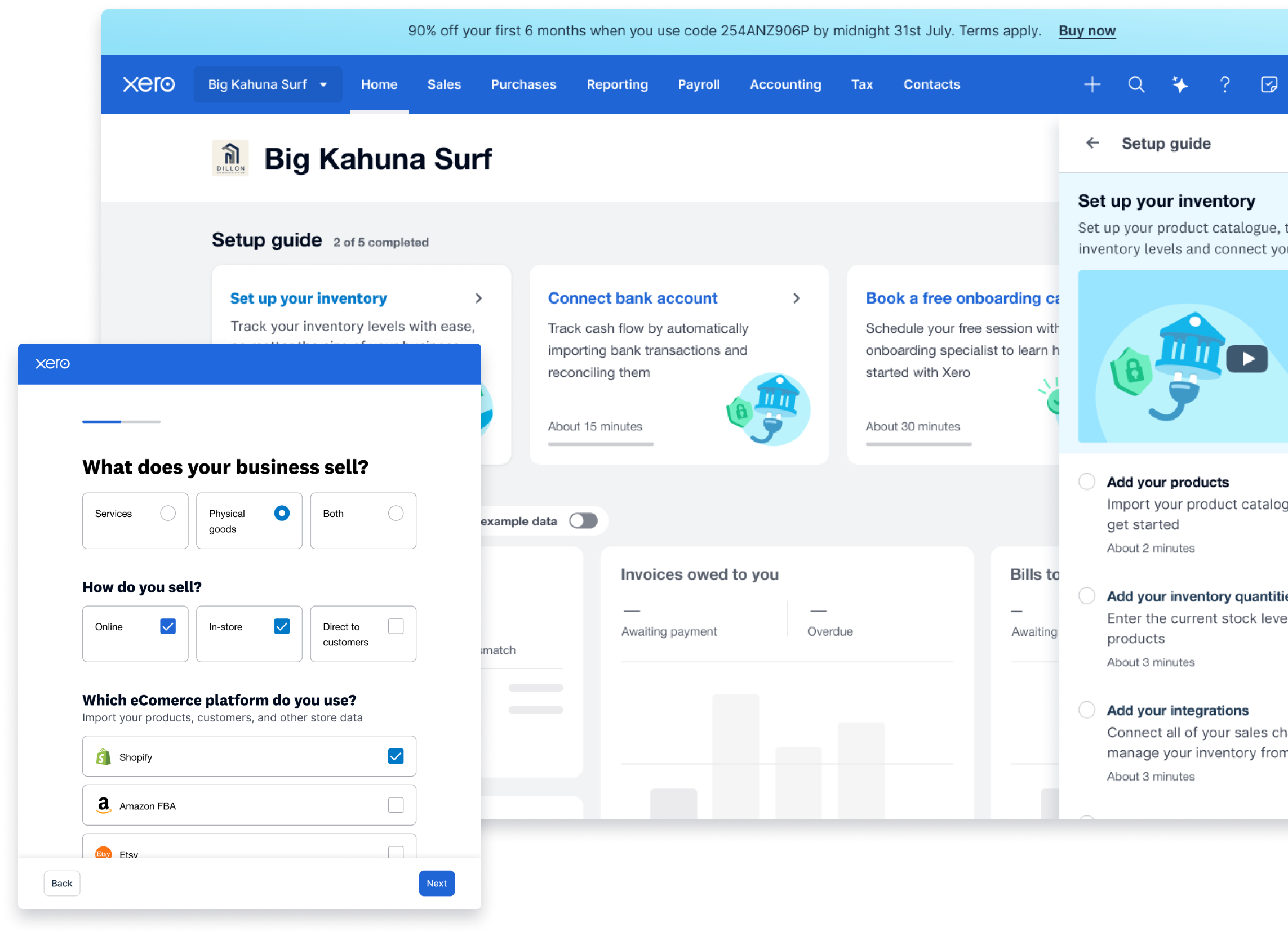
Inventory touches multiple points across Xero, so we mapped user flows and product dependencies to understand where changes would ripple and where collaboration with other workstreams was required.


Building with AI in mind
Our long-term vision was for JAX to act as an inventory agent: managing stock levels, providing insight, and suggesting actions to grow the business. To support that future, part of this work focused on linking the right data and designing around the gaps that still existed.
Hypothesis
If we add lightweight item classification first, Inventory becomes easier to manage now while creating the data foundation for deeper insights and AI-driven automation later.
Design strategy
Start small enough to ship, but useful enough to compound
The key design tradeoff was avoiding a heavy rebuild while still moving the product toward a stronger inventory model. Supplier and category fields were intentionally lightweight: they reduced manual organisation in the short term and created cleaner data for reporting, automation, and future JAX workflows.
Design
Phased design approach
Phase 1 - Supplier and category fields
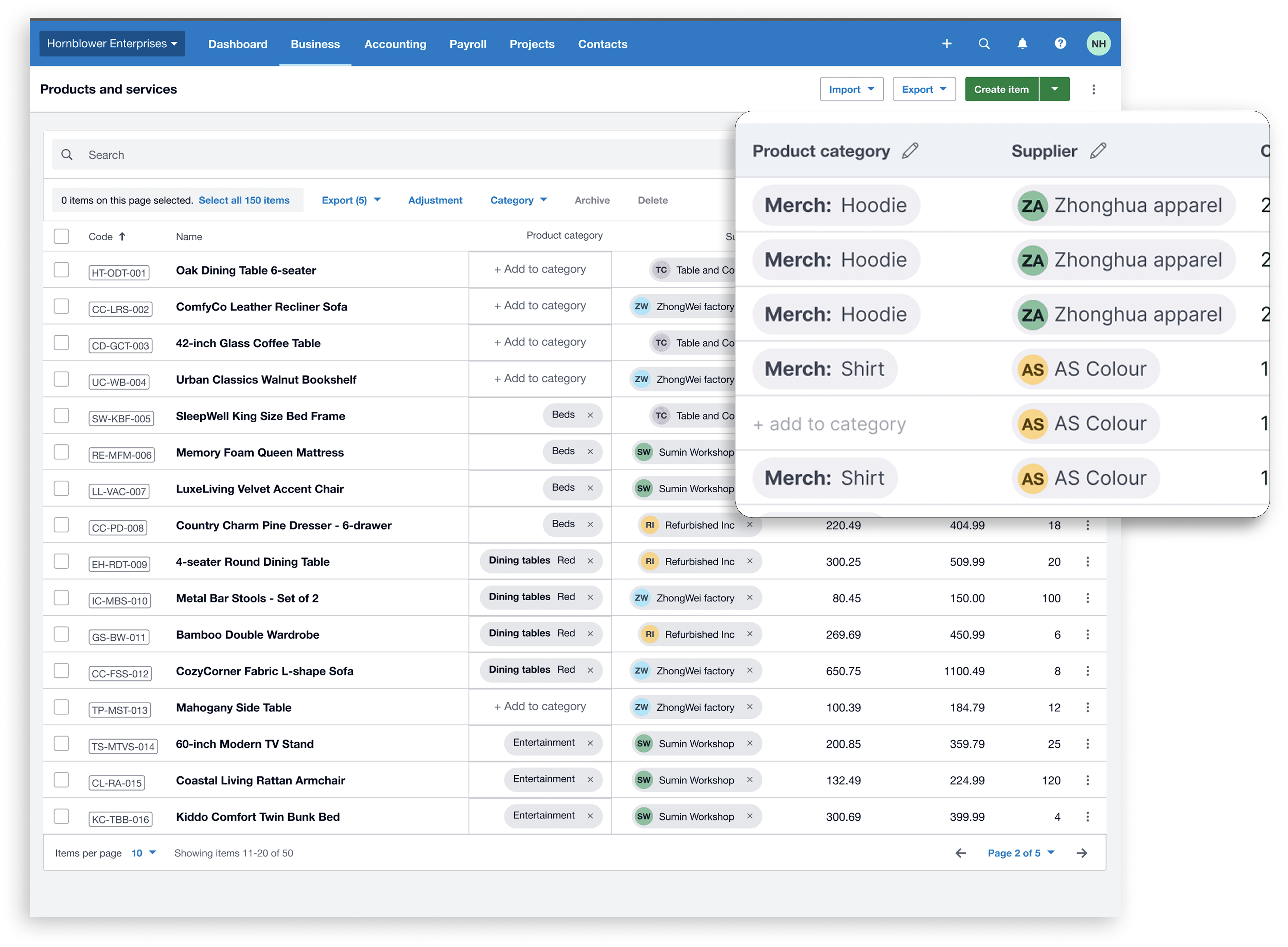
New fields for categorisation and default supplier selection, powered by Xero's contact database, were the first step toward streamlining Xero data, capturing more accurate supplier and sales data to improve filtering, inventory management, and the quality of downstream insights and automation.

Phase 2 - Actionable insights
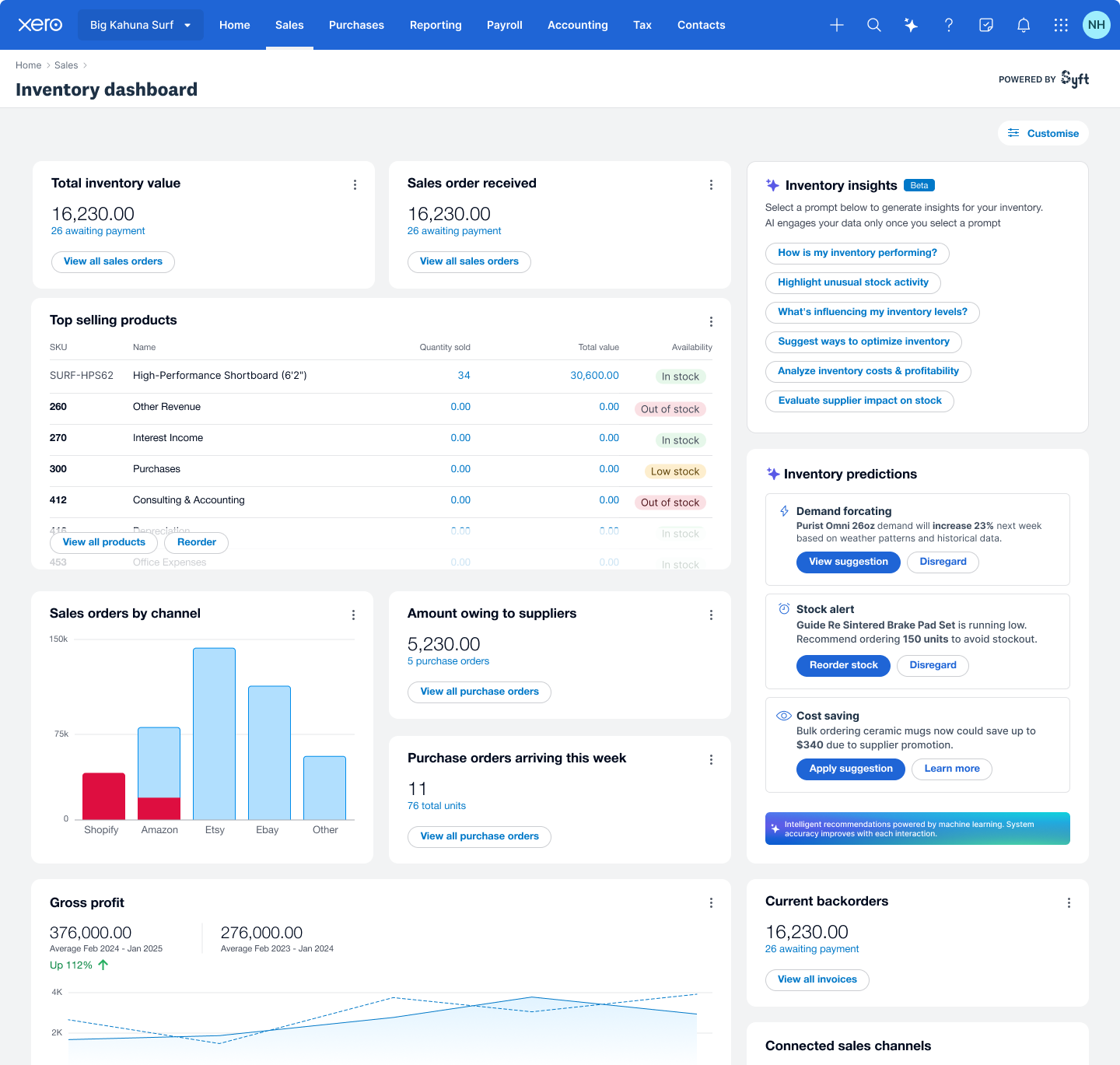
Displaying high-level insights directly on the inventory page would improve discoverability and help users consistently track the health of their business. With cleaner underlying data and Xero's long-term approach to API improvements, we can unlock deeper insights, shifting Inventory from a management tool into something that actively supports businesses day to day.

Phase 3 - AI automation
With the stronger data foundation established in Phase 2, integrating JAX directly into the inventory page can start making a real difference by automating high-friction jobs like manually adding inventory items, matching items correctly, and surfacing real-time updates and changes inside the workflow.

Testing
Early confidence before rollout
"When is this coming?"
Testing the early concepts with the community and internal Xero users gave us confidence that the direction was addressing key inventory organisation and insight-generation challenges.

Reflections
Reflections and next steps
Beta testing
Phase 1 of the design has entered a closed beta, and we are closely monitoring how users receive it.
API and integrations
Xero Inventory integrates with many ecosystem solutions, so API compatibility and extensibility remain a key part of the long-term success of the work.